The terminal built forClaude Code & AI agents
Split panes, built-in Git panel, MCP integration, and AI session resume — everything AI developers need.
MCP-native workflow
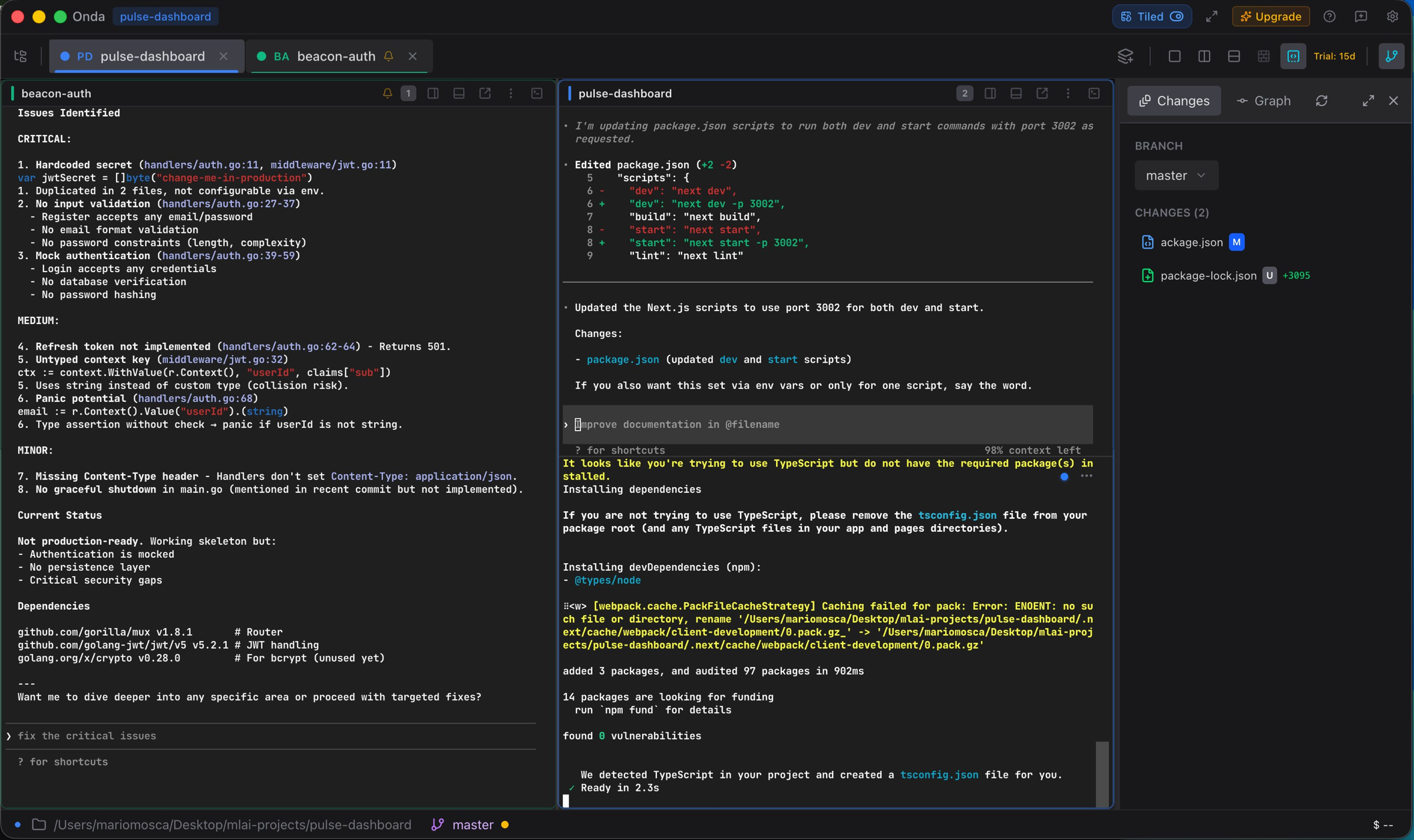
Split a pane, let Claude Code run tests on one side while you review diffs on the other. 21 MCP tools expose terminals, panes and workspaces to any AI agent.
AI session resume
Close the laptop, reopen it: Onda detects interrupted Claude Code, Codex and Gemini CLI sessions and offers a one-click resume — no lost context.
Workspaces, not chaos
One workspace per project, color-coded, with the Git panel built-in. Switch context in one keystroke instead of hunting through tabs.
See the difference
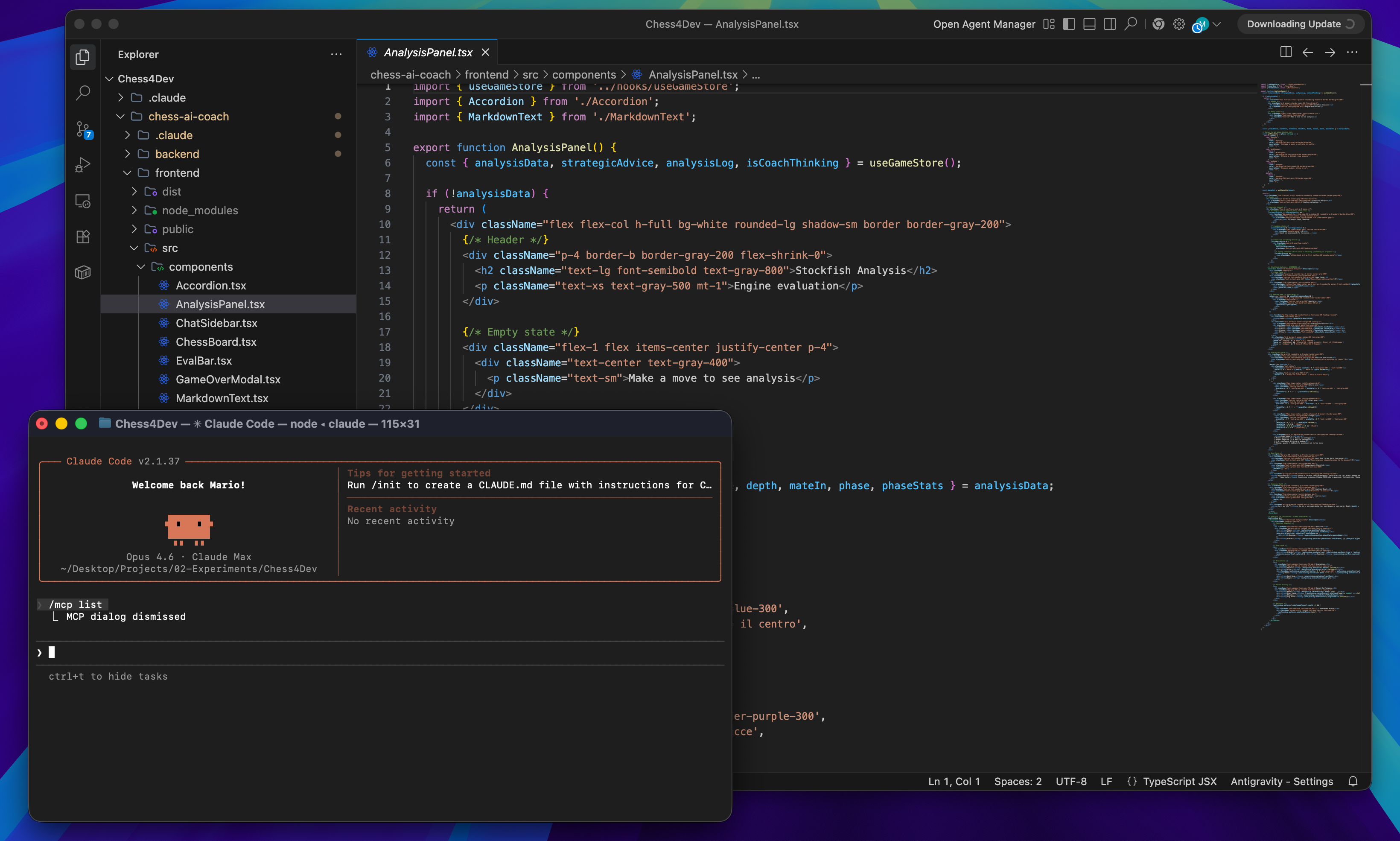
Drag the slider to compare the old terminal with Onda
See it in action
A modern terminal designed for how developers actually work
Everything you need
Built for developers working with Claude Code, Codex, Gemini CLI, and other AI assistants
Tabs & Split Panes
Multiple terminals in tabs, split horizontally or vertically. Each pane runs independently.
Workspaces
Organize terminals by project with color-coded workspaces.
AI-Powered Commands
Describe what you need in natural language.
"Find all TypeScript files modified in the last week"
Custom Aliases
Shortcuts for your most-used commands.
gsgit statusgpgit pushdevnpm run devPlugin System
Themes, integrations, and custom features.
MCP Integration
Let AI agents control your terminal. Works with Claude, Cursor, and Windsurf.
terminal_runnpm testpane_splithorizontalworkspace_createapi-serverBuilt-in Git Panel
Status, inline diffs, commit graph, branch switcher, and worktree management.
File Browser
Navigate your project and drag files directly into the terminal.
AI Session Resume
Auto-detects interrupted Claude Code, Codex, and Gemini sessions.
Dev Server Preview
Auto-detect dev servers and preview in an embedded browser.
Coming from another terminal?
See exactly where Onda fits — and where it doesn't — versus the terminals you already know.
Simple pricing
Start free, upgrade when you need more
Free
- All terminal features
- Split panes & tabs
- Up to 3 workspaces
- Plugin system
- MCP integration
- Auto-updates
Pro
$29/year — save 19%
- Everything in Free
- Unlimited workspaces
- Priority updates
- Premium themes
- Priority support
Pro Lifetime
Pay once, own forever
- Everything in Free
- Unlimited workspaces
- Priority updates
- Premium themes
- Priority support
Free to use — upgrade to Pro anytime from Settings
Frequently asked questions
Onda is a modern terminal emulator for macOS built for developers who work with AI coding assistants like Claude Code, Codex CLI, and Gemini CLI. It features split panes, workspaces, a plugin system, built-in Git panel, MCP integration, and AI session detection.
Yes. Onda includes MCP (Model Context Protocol) integration with 21 tools that let AI agents control your terminal — split panes, run commands, create workspaces. It also auto-detects interrupted AI sessions and offers one-click resume.
No. Onda is Apple Silicon only (M1/M2/M3/M4). Apple has dropped Intel support in recent macOS releases, so Intel builds are not planned.
Yes. The free tier includes all core terminal features: split panes, tabs, up to 3 workspaces, plugins, MCP integration, and auto-updates. Pro unlocks unlimited workspaces, premium themes, and priority support.
Onda works alongside your existing terminal — no migration needed. It uses your existing shell (zsh, bash, fish), reads your dotfiles, and supports your current aliases and configurations out of the box.
You keep using Onda with the free tier features. Your workspaces, settings, and plugins are preserved — you just lose access to Pro-only features like unlimited workspaces and premium themes. No data is ever deleted.
Onda runs entirely on your machine. No terminal data, commands, or files are sent to any server. The app is notarized by Apple and includes optional anonymous telemetry (opt-in only) for usage statistics.
Onda is purpose-built for AI-assisted development. It has native MCP integration for AI agents, auto-detects AI coding sessions, includes a built-in Git panel with commit graph, file browser with drag-and-drop into terminal, dev server auto-detection with embedded preview, and a plugin system running in Web Workers for full isolation.
Deep dives
How Onda fits into AI-assisted development workflows.
Ready to try?
Download Onda and start building today.
Version · Apple Silicon · Requires macOS 12+